Sangeet Easy Logo

Sangeet Easy

संगीत Made Simple

Home
Dashboard
Vocal Remover
Separate vocals
Pitcher
Change pitch & tempo
Key Finder
Detect key & BPM
Piano
Virtual Keyboard
Guitar
Scale Visualizer
Cutter
Trim audio
Joiner
Merge tracks
Recorder
Record & Edit voice
Karaoke
Sing along
Blog
Tips & tutorials

© 2026 Sangeet Easy

Back to Blog
Tutorials

How to Slow Down Songs for Guitar Practice (Without Changing Pitch)

Anil Thakor

Anil Thakor

Founder of Sangeet Easy

February 13, 2026
6 min read
How to Slow Down Songs for Guitar Practice (Without Changing Pitch)

Every guitarist has been there. You're trying to learn that lightning-fast Arijit Singh intro or a complex classical-fusion riff, but it's just too fast to catch the notes. You pause, rewind, play, pause, rewind… but it’s a blur.

The secret to mastering speed is actually slowing down.

In this guide, you'll learn how to use a Tempo Changer to practice guitar effectively, specifically focusing on tools that let you slow down music without changing the pitch. This is crucial for maintaining the song's key so you can play along without retuning your guitar.

Why Slowing Down is Critical for 'Riyaaz' (Practice)

In the Indian music tradition, Vilambit (slow tempo) mastery is the foundation of speed. Great musicians don't just start playing fast; they build muscle memory at a slower pace first.

  1. Muscle Memory

Slowing down allows your fingers to learn the exact positions without tension. You can focus on clean fretting, proper picking direction, and relaxed hand movement.

  1. Hearing Details

Fast Bollywood tracks often hide subtle gamakas (slides), bends, vibrato, and micro-timing details that you miss at full speed. Slowing down reveals these nuances so you can imitate them accurately.

  1. Accuracy Over Speed

As the saying goes, "If you can't play it slow, you can't play it fast." When you practice slowly, you train your brain and fingers to play the right notes in the right way. Speed then becomes a natural byproduct.


The Problem with YouTube Speed Controls

YouTube does offer playback speed options like 0.5x and 0.75x, but:

  • The audio can sound muddy or glitchy at slower speeds.
  • It’s hard to loop a precise 2–3 second lick repeatedly.
  • On a small mobile screen, scrubbing back and forth to the exact note is frustrating.

For serious riyaaz, you need a dedicated tool built for musicians—something that gives you precise control over tempo, pitch, and looping.

How to Slow Down Any Song Using Sangeet Easy's Pitcher

We built the Pitcher module specifically to give musicians professional-grade control over their audio. Here’s a step-by-step guide to slowing down songs without changing pitch.

Step 1: Open the Pitcher Tool

  1. Go to the Sangeet Easy .
  2. From the main menu, select Pitcher.

You’ll see an interface with an upload area, waveform display, and separate controls for Pitch and Tempo.

Step 2: Upload Your Track

  1. Drag and drop your MP3 or WAV file into the upload area, or
  2. Click the cloud/upload icon and choose a file from your phone or computer.
Tip: Use a high-quality audio file (320 kbps MP3 or WAV) for the cleanest sound when slowing down to extreme levels like 50% or lower.

Once the file is uploaded, you’ll see the waveform of your song and playback controls.

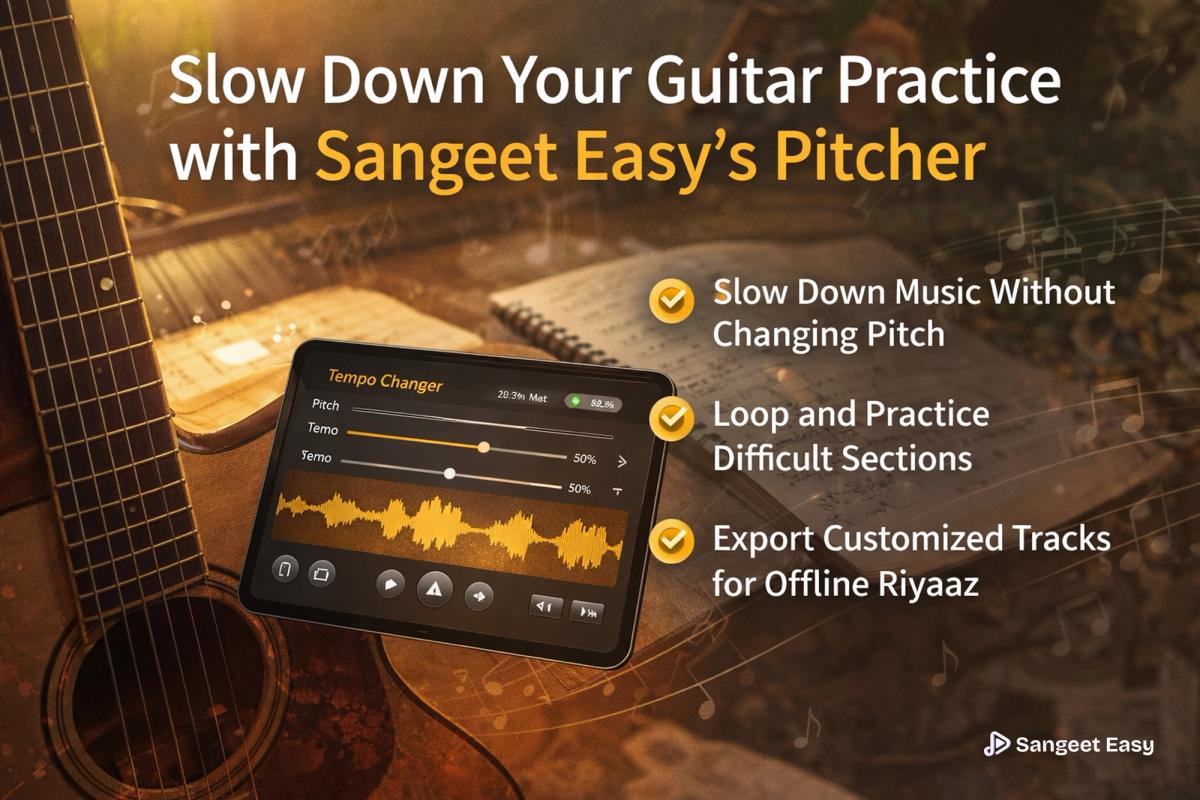
Step 3: Adjust the Tempo Slider (Without Changing Pitch)

After your track loads, you’ll see two main sliders:

  • Pitch – changes the key of the song (in semitones)
  • Tempo – changes the speed of the song (in %), without affecting pitch

Focus on the Tempo slider:

  • 100% – Normal speed (1x)
  • 75% – Moderately slow (0.75x) – great for locking in rhythm and groove.
  • 50% – Half speed (0.5x) – ideal for dissecting fast solos and complex riffs.

For detailed practice:

  1. Set the Tempo slider to around 90% to start.
  2. Press Play.

You’ll notice:

  • The song is now at half speed.
  • The pitch remains exactly the same – no chipmunk voices, no detuned feel.

This lets you play along in the original key without touching your guitar tuning.

Step 4: Loop and Practice Difficult Sections

To really internalize a phrase, looping is essential.

  1. Click anywhere on the waveform to jump to a specific part of the song (for example, the start of a solo or a tricky lick).
  2. Set a start and end point around the phrase you want to practice.
  3. Enable Loop so that the selected section repeats automatically.

Now you can:

  • Play the same 2–4 bar phrase again and again.
  • Gradually increase your accuracy and comfort.

Suggested practice routine:

  1. Start at 80% tempo and loop the phrase until you can play it cleanly 5–10 times in a row.
  2. Increase to 90% and repeat.
  3. Finally, return to 100% and test yourself at full speed.

This step-by-step tempo ramp builds true speed and confidence.

Step 5: Download for Offline Practice

One major advantage of Sangeet Easy’s Pitcher is that you can export your slowed-down version of the track.

To download:

  1. Set your desired Tempo (for example, 85% for a comfortable slow groove).
  2. Keep Pitch at 0 if you want the original key.
  3. Click "Download MP3".
  4. Save the file to your phone, tablet, or computer.

Now you can:

  • Practice offline without needing internet.
  • Take the slowed-down track to your jam room, class, or rehearsal.
  • Use it in any standard music player or loop app.

Advanced Tip: Change Keys Without Changing Tempo

Sometimes the song is in an inconvenient key for guitar. For example:

  • The original track is in E♭ Standard while your guitar is in E Standard.
  • A singer you’re accompanying is more comfortable a semitone higher or lower.

With Pitcher, you can use the Pitch slider to shift the key without changing the tempo.

Common Use Cases

  1. E♭ Song to E Standard

Many Bollywood and Western tracks are recorded slightly detuned or in E♭. To match your standard-tuned guitar:

  • Set Pitch to +1 semitone.
  • Keep Tempo at 100% (or your chosen practice speed).
  • Now the track matches your guitar tuning without you having to retune.
  1. Making a Song Easier to Sing

If a song is too high for your voice:

  • Lower Pitch by -1 or -2 semitones.
  • Keep Tempo the same.
  • Practice comfortably in your vocal range while still working on the same melody and rhythm.
  1. Combining Pitch and Tempo Changes

You can also:

  • Slow the song to 70–80% tempo.
  • Shift the Pitch up or down to match your preferred key.

This is especially powerful for classical-fusion or Bollywood covers where you want to adapt the original track to your own style and range.

Putting It All Together for Effective Riyaaz

To get the most out of Sangeet Easy’s Pitcher for guitar practice:

  1. Choose your song – a fast Bollywood solo, classical riff, or fusion piece.
  2. Upload it to Pitcher.
  3. Slow it down to 85-90% using the Tempo slider (pitch unchanged).
  4. Loop short sections and practice them repeatedly.
  5. Gradually increase tempo as your accuracy improves.
  6. Adjust pitch if the key is uncomfortable for your guitar tuning or voice.
  7. Download your customized practice track for offline riyaaz.

By combining traditional ideas of Vilambit practice with modern tools like Sangeet Easy’s Pitcher, you can turn any fast, intimidating song into a clear, manageable exercise and eventually perform it at full speed with confidence.

Related Articles

Best Free Online Karaoke Apps for Singing Practice – Complete Guide (2026)
2 min read

Best Free Online Karaoke Apps for Singing Practice – Complete Guide (2026)

Discover the best free online karaoke apps for Indian singers in 2026. A complete guide to practicing Bollywood songs, including a step-by-step tutorial on using Sangeet Easy's AI karaoke tool.

Read
Bollywood Song Keys: How to Find Sa and Scale of Hindi Songs
2 min read

Bollywood Song Keys: How to Find Sa and Scale of Hindi Songs

Learn how to quickly find the Sa (tonic) and musical key of any Bollywood or Hindi song, understand how Western keys map to Indian scales, and use Sangeet Easy’s free tools for instant key detection and ear training.

Feb 16, 2026
Read
How to Find the Right Scale for Any Song (Bollywood & Western) – The Ultimate Guide
2 min read

How to Find the Right Scale for Any Song (Bollywood & Western) – The Ultimate Guide

Struggling to find the scale of your favorite Arijit Singh or Kishore Kumar song? Learn 3 easy methods to lock into the key, from traditional ear training to using Sangeet Easy's AI Key Finder.

Feb 11, 2026
Read